PHH Mortgage Center Login Guide: Sign In, Recover Access & Manage Payments
You sit down to pay your home loan, type your details, and the screen just will not move. Maybe the page looks new. Maybe your password worked last month but stopped today. I have felt that same frustration, and so have thousands of other borrowers each month.
This guide clears up that mess for you. We will show you exactly where the phh mortgage center login lives today, how to sign in, and how to fix the small errors that trip people up. You will also learn how to recover a lost password and what changed after the company rebranded. By the end, signing in will feel simple again.
PHH Mortgage Center Login – Direct Access (Where to Log In)
Knowing the right web address saves you time and worry. PHH does not use one single page for every borrower. Your sign-in spot depends on who services your loan right now. The table below shows the main options at a glance.
| Your Situation | Where to Log In | Web Address |
|---|---|---|
| Current PHH borrower | MortgageQuestions portal | MortgageQuestions.com |
| Loan moved to Newrez | Newrez online account | Newrez.com |
| Phone or tablet user | MortgageQuestions app | App Store or Google Play |
Most users still reach their account through the MortgageQuestions website. That page has been the main hub for many years. Pick the row that matches your loan, and you are already halfway done.
Existing Customers – Log In at MortgageQuestions.com
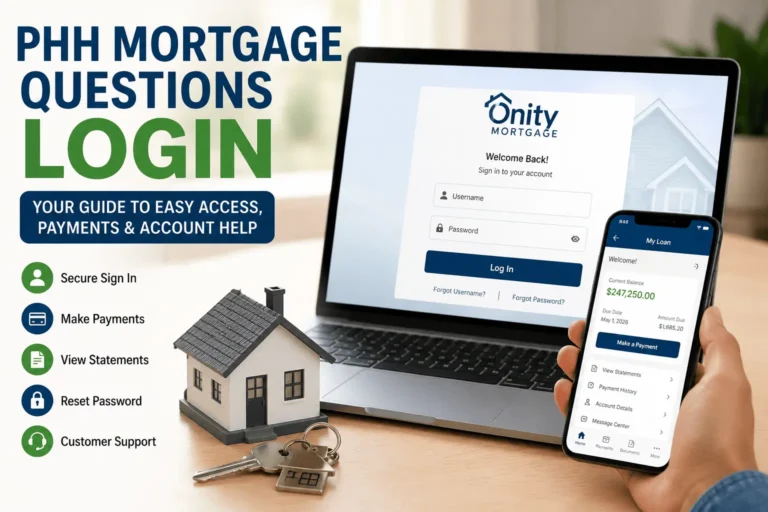
If PHH services your loan, your home base is MortgageQuestions.com. Open your browser and type that address by hand to stay safe. Then enter the username and password you set up when you first registered. This single page handles payments, statements, and escrow details in one place.
Bookmark the site so you never have to search for it again. Searching can send you to copycat pages that only want your details. Always check the web address before you type anything. A few seconds of care protects your money.
If Your Loan Was Transferred to Newrez – Log In at Newrez.com
PHH and Newrez are part of the same parent company. Because of this, some loans move from one platform to the other. If you got a letter saying Newrez now handles your loan, switch to Newrez.com. Your old PHH page will no longer show your balance.
Use the account number listed in your transfer letter to register on the new site. Keep that letter handy until your first sign-in works. If your details do not match, call the support number printed on the same notice. They can confirm which portal holds your loan.
PHH Is Now Onity – Does Your Login Link Still Work?
PHH is now part of Onity Group, the new name for the parent business. This change worried many borrowers who feared their old links would break. The good news is that your sign-in page still works as before. You can read more in this PHH Mortgage Services complete guide for the full background.
Some people also try short web names like phh.mortgage hoping for a faster route. Stick with the official MortgageQuestions address instead, since it is the verified portal. The brand name on your statement may say Onity now. Your account and payment history stay exactly the same.
First Time? How to Register for a PHH Mortgage Online Account
Before you can sign in, you need to set up your online profile once. New borrowers often skip this step and then wonder why the login fails. Registration takes only a few minutes when you have the right details ready. Let us walk through it.
What You Need to Register (Account Number, SSN, Email Address)
Gather a few items before you start so the process flows without stops. Having these on hand means you finish in one sitting.
- Your PHH or Onity mortgage account number
- The last four digits of your Social Security Number
- A valid email address you check often
- Your property zip code for identity checks
- A phone number for security codes
Keep this information private and never share it over email or text. The portal only asks for it on the secure registration page. If any field is blocked or grayed out, refresh the page and try again.
How to Find Your PHH Mortgage Account Number
Your account number is the key that unlocks registration. You can find it on your monthly mortgage statement near the top. It also appears on any welcome or transfer letter PHH mailed you. Look for a label that reads “Loan Number” or “Account Number.”
If you cannot find a paper copy, do not panic. Call the support line and verify your identity to get the number. Write it down and store it somewhere safe for future use. You will need it again if you ever reset your profile.
Step-by-Step New User Registration Process
Setting up your profile follows a clear path. Follow these steps in order for a smooth start.
- Go to MortgageQuestions.com and click “Register” or “Sign Up.”
- Enter your loan number, Social Security digits, and zip code.
- Create a username and a strong password you can recall.
- Add your email and phone for alerts and recovery.
- Confirm the code sent to your inbox to finish.
Once confirmed, you can sign in right away with your new details. Save your username in a safe spot so the next visit is quick.
Step-by-Step: How to Log In to PHH Mortgage Center
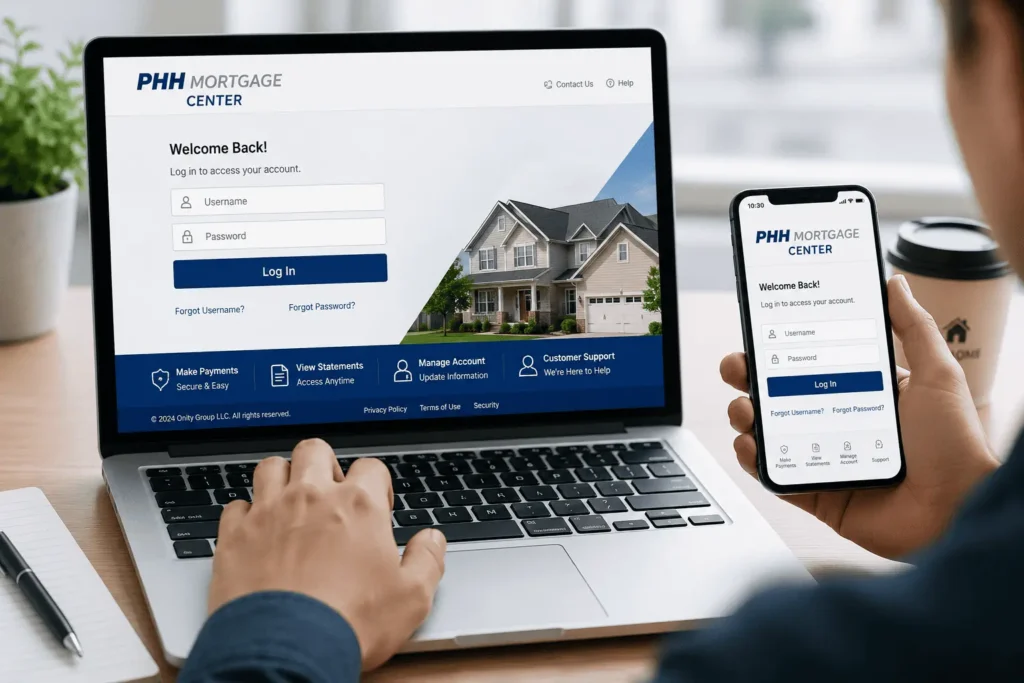
With your profile ready, signing in is fast. The phh mortgage center login takes only three short steps from start to finish. Follow them in order, and you will reach your dashboard with no guesswork. This same flow works on a laptop or a desktop.
Step 1 – Go to MortgageQuestions.com Login Page
Open a fresh browser tab and type MortgageQuestions.com yourself. Avoid clicking links inside emails, since some may be fake. When the page loads, look for the sign-in box near the top corner. This is your safe starting point every single time.
Step 2 – Enter Your Username and Password
Type the username and password you made during registration. Check that your caps lock key is off before you press enter. If you paste your password, make sure no extra spaces slip in. Then click the sign-in button once and wait a moment.
Step 3 – What to Do Once You’re Inside Your Dashboard
Your dashboard is the control room for your whole loan. Take a quick look at your balance, due date, and recent activity. From here you can pay, view papers, or update your contact details. If anything looks wrong, use the secure message tool to ask for help.
Forgot Username or Password – PHH Mortgage Account Recovery
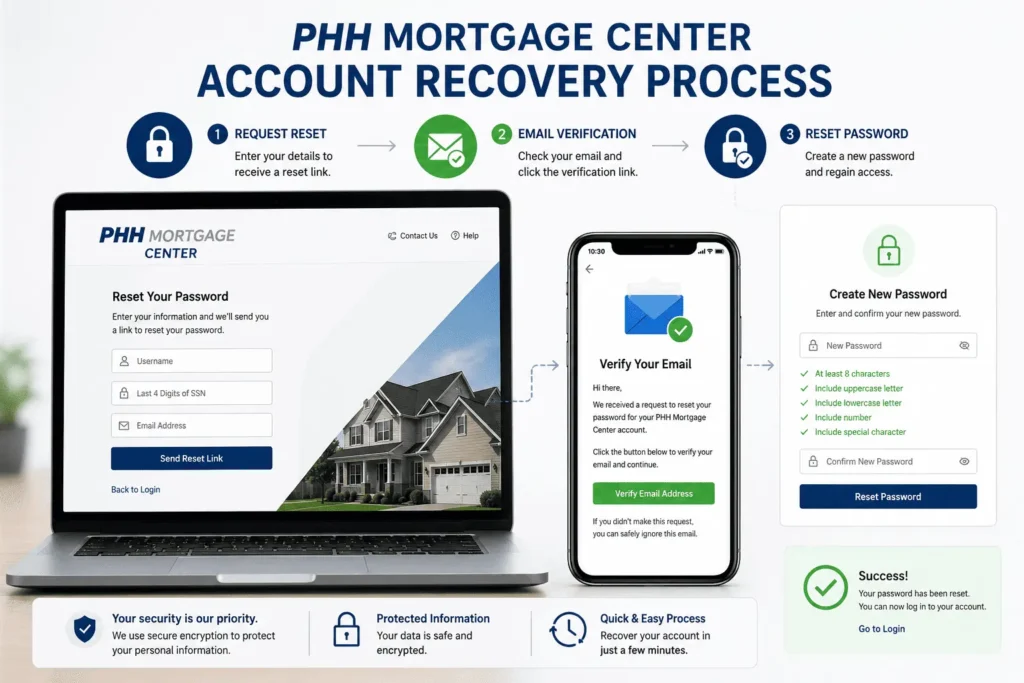
Forgetting a login detail happens to almost everyone at some point. The good news is that the phh mortgage center login page has built-in recovery tools. You do not need to call anyone for most resets. A few clicks usually fixes the problem.
How to Recover Your Forgotten Username
Click the “Forgot Username” link right below the sign-in box. Enter the email address you used when you registered your account. The system will send your username straight to that inbox. Check your spam folder if it does not arrive in a few minutes.
How to Reset Your Password (Step-by-Step)
Choose the “Forgot Password” link to begin a quick reset. Type your username and the email tied to your profile. Open the reset link the system sends and pick a new password. Make it strong with letters, numbers, and a symbol for safety.
Registered Email Changed? How to Still Recover Your Account
Sometimes the email on file is old or no longer works. In that case, the online tools cannot reach you with a reset link. Call the support team and verify your identity by phone instead. They can update your email so future recovery works on its own.
PHH Mortgage Login Not Working – How to Fix Common Errors
A failed sign-in is usually a small fix, not a big problem. Most issues come from a wrong page, a typo, or a busy server. Below are the most common errors and how to solve each one. Work through them in order for the fastest result.
“Not Authorized to Make Electronic Payments” Error – What It Means & Fix
This message often means your loan is in a special status. It can appear after a transfer or during a review on your file. It does not always mean you did something wrong. Call the support number and ask them to confirm your payment options.
Account Locked After Multiple Wrong Attempts – How to Unlock
Too many wrong tries will lock your account for safety. Wait about fifteen to thirty minutes, then try the reset tool. If it stays locked, use the “Forgot Password” link to refresh your details. You can also call support to unlock it right away.
Login Page Not Loading or Keeps Spinning – Browser Fix
A page that keeps spinning is often a browser or cache issue. Clear your browser history, close the tab, and open a fresh one. If your browser shows a “not secure” warning, leave that page at once. Then try a different browser or switch to your phone data.
Are You on the Wrong Login Portal? – How to Check
Many people land on a copycat or outdated mortgage-login page by mistake. Always confirm the web address reads MortgageQuestions.com before you type. If your loan moved to Newrez, you must use the Newrez site instead. Matching the right portal to your loan solves most sign-in trouble.
Login for Transferred Customers – Who Logs In Where?
Loan transfers cause more login confusion than any other issue. The table below makes it clear where each type of borrower should go. Find your case and follow the matching path. This saves you from typing details into the wrong page.
| Your Loan History | Correct Portal | Action Needed |
|---|---|---|
| New to PHH or Onity | MortgageQuestions.com | Register as a new user |
| Moved from PHH to Newrez | Newrez.com | Register with transfer letter |
| Long-time PHH borrower | MortgageQuestions.com | Use existing login |
My Loan Was Just Moved TO PHH / Onity – First Login Guide
If your loan just moved to PHH, welcome aboard. Wait for the welcome letter that holds your new account number. Then register on MortgageQuestions.com as a brand new user. Your first sign-in sets up full access to payments and papers.
PHH Transferred My Loan to Newrez – New Login Instructions
When PHH hands your loan to Newrez, your home base changes. Stop using the old page and head to Newrez.com to register. Use the account number from your Newrez transfer letter to start. Your payment history follows your loan, so nothing is lost.
Your Old Username & Password Still Work – No Re-Registration Needed
Here is a relief for long-time customers who feared the worst. If your loan stayed with PHH through the Onity change, nothing moves. Your old username and password still open the same dashboard. There is no need to register again or build a new profile.
PHH Mortgage Mobile App Login – MortgageQuestions App
Many borrowers prefer to manage their loan from a phone. The MortgageQuestions app brings the phh mortgage center login to your pocket. You get the same payments, papers, and alerts as the website. Setup takes only a minute or two.
How to Log In via the MortgageQuestions App (iOS & Android)
Download the MortgageQuestions app from the App Store or Google Play. Open it and enter the same username and password you use online. Tap sign in, and your dashboard loads on the small screen. The layout is simple, so finding payments is easy.
Setting Up Face ID or Fingerprint Login on the App
After your first sign-in, turn on Face ID or fingerprint access. Go to the app settings and pick the biometric option you prefer. This lets you open your account with a glance or a touch. It is safe, fast, and saves you from typing each time.
App Login Issues – Quick Fixes for Common Problems
If the app will not open your account, start with a simple fix. Close the app fully and reopen it to refresh the link. Check that your phone has the latest app update installed. A weak signal can also block sign-in, so test your wifi.
What You Can Do After Logging In to PHH Mortgage Center
Reaching your dashboard is only the start of the value. Once inside, your account opens a full set of tools. You can pay, plan, and track your loan from one screen. Here is what waits for you after you sign in.
Make Payments and Set Up AutoPay
Paying your loan is the most common task on the dashboard. You can send a one-time payment or set up AutoPay in minutes. AutoPay pulls the amount each month so you never miss a due date. For a deeper walkthrough, see this guide on PHH mortgage payment login.
View Statements, Escrow Details, and Tax Documents (Form 1098)
Your account stores every statement in one tidy folder. You can open monthly bills, escrow updates, and your yearly Form 1098. The 1098 is the paper you need for mortgage interest at tax time. Download and save these files so they are ready when you need them.
Go Paperless – Access 60 Months of Account History
Switching to paperless cuts clutter and speeds up access. The portal keeps up to sixty months of your account history online. That means five full years of payments and notices at your fingertips. You can review past activity any time without digging through mail.
Set Up Account Alerts and Contact Support via Secure Message Center
Turn on alerts so you get a nudge before each due date. You can also message support safely through the secure message center inside your account. If you still need broader help with your loan or our content, email james@allthings-mortgage.com for support. Keeping alerts on helps you avoid late fees and surprises.
For a wider view of every account feature, this PHH Mortgage Services login guide breaks it all down. You can also read our simple PHH mortgage login walkthrough for a quick refresher.
Conclusion
We promised to clear up the confusion, and now the path is plain to follow. You know that the phh mortgage center login lives on MortgageQuestions.com, with Newrez handling moved loans. You can register, sign in, reset a password, and fix common errors without stress. Bookmark your portal, keep your details safe, and managing your home loan stays simple every month.
Frequently Asked Questions
Where do I sign in to my PHH account today?
Go to MortgageQuestions.com for the phh mortgage center login if PHH services your loan. If your loan moved to Newrez, sign in at Newrez.com instead. Type the address yourself to avoid fake pages and keep your details safe.
Did my login change after PHH became Onity?
No, your sign-in page did not change after the Onity rebrand. You still use the same MortgageQuestions website and the same username and password. Only the parent brand name changed, while your account, balance, and history stay exactly the same as before.
What should I do if my account is locked?
Wait about fifteen to thirty minutes after too many wrong tries. Then use the “Forgot Password” link to reset your details and regain access. If the lock remains, call the support number on your statement and they can unlock it quickly.
How do I find my PHH mortgage account number?
Your account number sits near the top of your monthly mortgage statement. It also appears on any welcome or transfer letter mailed to you. If you cannot find it, call support, verify your identity, and they will share your number safely.
Can I pay my mortgage from the mobile app?
Yes, the MortgageQuestions app lets you pay your loan from your phone. Sign in with your usual details, open the payment screen, and submit. You can also set up AutoPay in the app so each monthly payment posts on time.